ToF (VL53L0X) Calibration
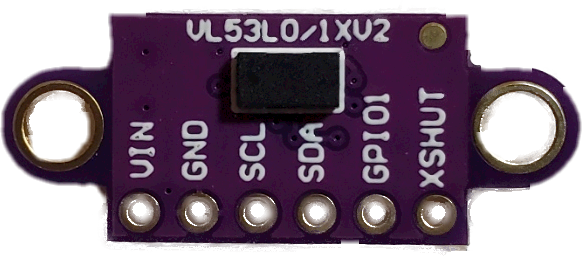
The VL53L0X Tof is a distance sensor. This can be used, along with a trigger distance to create a very focused detection zone for the sensor. This is covered in more detail in both the Sensor Types & Selection topic of this guide and in the Build Guide
But as a quick overview, the “trigger distance” is used to focus or limit the detection range of the sensor.
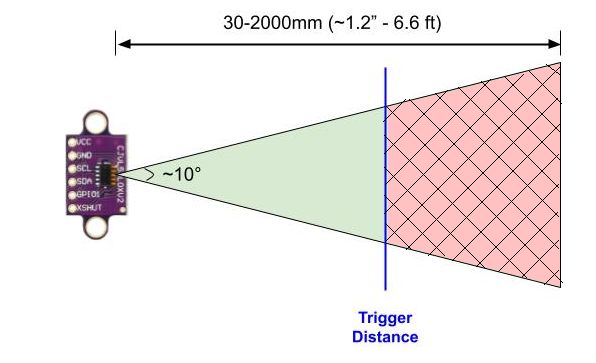
Any object that moves into the field-of-view of the sensor, but is outside of the trigger distance will not trigger the LEDs. Sensor placement is also important with the ToF sensor. Unlike a PIR sensor that detects heat/motion, the ToF sensor will detect any solid object that within its FOV. This includes walls, the floor, etc. To help dial in the sensor trigger distance (and assure it is returning valid values and not unintented nearby objects like a wall), both the primary and wireless sensor controllers have a ToF Calibration function.
When ToF is selected as the sensor type, a ‘Calibrate’ button will be shown on the page.
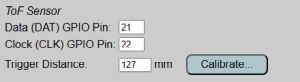
The ToF Calibration Page
ℹ️ Note:
When the system is in calibration mode and the above page is shown, all other system functions are paused. This not only includes triggers for the LEDs, but MQTT updates, API calls, etc. are all disabled. Be sure to close the calibration page or return to the main page to return the system to normal operation.
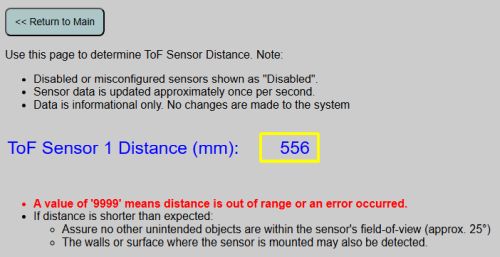
The Calibration page will display the current raw distance reading of the ToF sensor (in mm), updated once per second. Note this is independent of any other settings is just the raw reading.
-
The value will naturally “bounce” a bit, and even when detecting a solid, non-moving object, the reported distance may vary by a few millimeters between readings. This is normal behavior.
-
If a distance of “9999” is shown, it means no object is within the range of the sensor OR and error is being returned due to a problem with the sensor. If you place an object within a foot or two, and directly in front of the sensor, yet still get a “9999” reading, check the sensor and wiring as something isn’t working correctly.
You can then use this calibration page to help place the sensor and to determine the optimal trigger distance.
Note the when using with something like a staircase, you want the distance short enough that it isn’t detecting the stair stringer on the opposite side. In fact, I recommend setting it 6-8” shorter than that distance. This allows a little “bounce” in the sensor without triggering, yet no one will be able to use the stairs without triggering (unless they have very small feet and can step in the narrow 6-8” gap next to the opposite stringer).
No values from the page are saved or used for any settings. It is informational only. When done with the configuration, use the button at the top to return to the main application page.